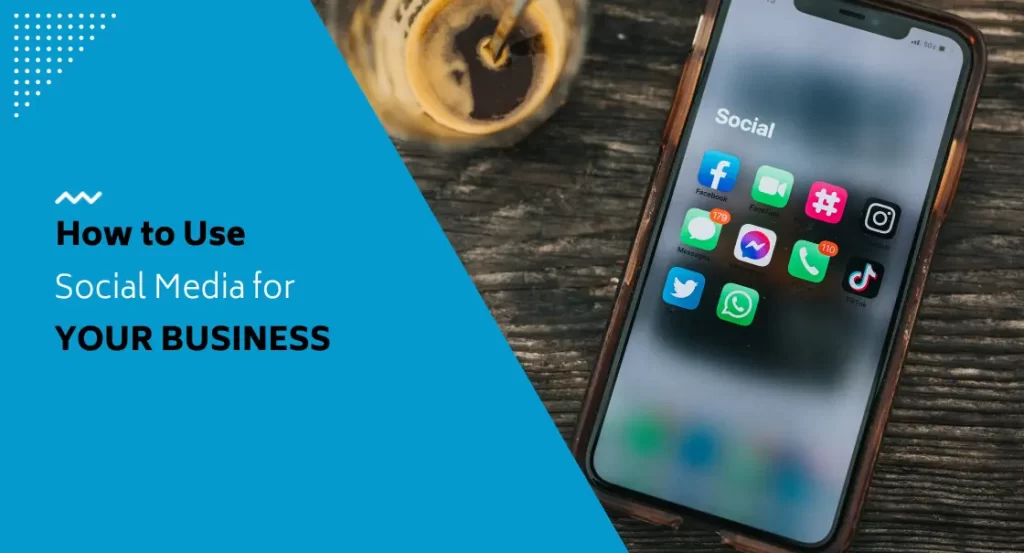
Most businesses know they should be on social media. Far fewer have figured out how to make it actually work. The gap between posting occasionally and running a social media presence that drives real results comes down to approach, and at FirstPage Marketing, we take a strategy-first view every time. Understanding how to use social media for your business starts with treating it as a serious marketing tool rather than something to tend to when there’s a spare hour in the week.
Start With a Strategy, Not a Schedule
A lot of businesses struggle with social media because they’re always reacting. Something happens, they post about it. A few weeks go by, they remember to share something. Without direction, it’s easy to put in effort without gaining any meaningful traction, and that frustration leads many business owners to abandon their presence entirely.
A social media account is more than a broadcast channel. It’s also a place to listen to your audience, keep a pulse on your industry, and track what competitors are doing. The businesses that get the most from it are the ones that show up with intention.
Set Goals That Actually Guide Decisions
Before choosing platforms or creating content, establish what you’re actually trying to accomplish. Goals that follow the S.M.A.R.T. framework (specific, measurable, attainable, relevant, and time-bound) give your efforts real direction and make it possible to measure your return on investment. Broad goals like “grow our presence” are hard to act on and even harder to evaluate.
Your social media goals should flow from your overall marketing objectives. If the priority is brand awareness, the goal might be growing your audience by a set number each month. If the focus is lead generation, the goal should centre on driving conversions from your campaigns. Tracking meaningful metrics like leads generated and web referrals keeps you honest about what’s actually working.
It’s also worth setting distinct goals per platform. Each channel serves different purposes, and comparing results across them helps you allocate time and budget where they’ll have the most impact.
Know Your Audience Before You Post Anything
The more clearly you understand who you’re trying to reach, the more effective every post, ad, and reply becomes. Build out audience personas that describe your ideal customers as real people: their motivations, age ranges, pain points, and what they’re looking for when they land on your page. Someone who recognizes themselves in your content is far more likely to become a customer.
Free tools like Facebook Audience Insights provide detailed data about who your current followers are, how they engage, and what kind of content resonates with them. This information is invaluable for refining your approach and making sure you’re talking to the right people.
Research Competitors and Audit Your Own Presence
Before investing heavily in any direction, spend time looking at competitors who are already active on social media. Look at the engagement their posts receive, the size of their following, and the types of content that seem to perform well for them. Competitor analysis helps you identify gaps and opportunities, including audiences and platforms that are underserved in your industry.
If you’re already active on social media, conduct an honest audit of what you’ve been doing. Examine which content types are generating the best results, who you’re actually connecting with, and whether each account is serving a clear purpose. An audit often reveals which platforms are worth keeping and which ones are draining time without returning much.
Choose Your Platforms Deliberately
Not every platform is right for every business. Rather than trying to maintain a presence everywhere, focus on the channels where your audience is already spending time. A business targeting younger consumers may find TikTok and Instagram more effective than Facebook. A B2B company building professional relationships will typically get more traction on LinkedIn. A business in a highly visual field, such as home decor or food, can find Pinterest exceptionally useful.
Once you’ve chosen your social platforms, take the time to set up or optimize each profile properly. Fill out all available profile fields, use keywords that people would realistically search to find your business, and make sure your profile images are sized correctly for each network. Creating a simple mission statement for each account keeps your content focused on specific, achievable goals.
Plan Your Content
Use Content Themes for Direction
Posting on a whim occasionally works, but the quality is nearly always lower than when content is planned ahead of time. Content themes solve this. By establishing a handful of categories that your posts will fall into, you create consistency and give your audience a sense of what to expect. Themes might include tips and industry insights, behind-the-scenes glimpses of your business, featured products or services, and seasonal or promotional content.
Two frameworks can help you maintain a balanced content mix. The 80-20 rule suggests that roughly 80% of posts should inform, educate, or entertain, with the remaining 20% dedicated to direct brand promotion. The rule of thirds divides content between business promotion, sharing ideas from industry leaders, and personal interactions with your audience. Neither is rigid, but both help prevent your feed from becoming a stream of sales posts that followers tune out.
Build a Content Calendar
A content calendar turns your themes and ideas into a workable schedule. At its simplest, it’s a document with images, captions, links, and hashtags laid out in advance against specific dates and times. Planning content two to three months ahead lets you space posts appropriately, account for holidays and special events, and maintain momentum even during busy periods.
Drag-and-drop design tools make it straightforward to produce visuals without a graphic design background. Branded templates that you update with fresh content each month keep your look consistent while making production faster. Bulk production works well with this approach: settle on your themes, build your templates, and fill in the calendar.
Schedule Posts in Advance
Once your content calendar is ready, a scheduling tool like Hootsuite or Buffer lets you load everything in advance without hovering over your phone to post in real time. Scheduling also lets you publish at optimal times for your audience regardless of what else is happening that day. Check in periodically to confirm scheduled posts are going out as planned, and keep an eye on comments and messages that follow.
What Social Media Can Do for Your Business
Build Brand Awareness and Authority
Organic posts, meaning regular content shared to your existing following, keep your brand visible to people who are already familiar with you. Staying active means you’re more likely to be top of mind when they need what you offer, rather than a competitor who shows up more consistently. For reaching new audiences entirely, paid ads outperform organic content alone.
Authority builds when your content consistently demonstrates knowledge and adds genuine value. Sharing industry insights, commenting on relevant topics, and maintaining a coherent voice across channels positions you as a credible resource rather than just another company trying to sell something.
Generate Website Traffic
Your website is where leads get captured, purchases get made, and inquiries come in. Your social channels create direct pathways to it. By linking to blog posts, landing pages, and product pages from your social profiles, you drive visitors who have already shown interest in your content and are more likely to take action when they arrive.
Support Customers Directly
Many customers now expect to reach businesses through social channels, and quick responses to questions and comments show that there’s a real team behind the brand. Predefined chatbot responses can handle common questions efficiently, freeing up your team for conversations that need a personal touch. The combination gives customers more than one way to get the answers they need.
Enable Direct Sales and Promotions
Platforms like Instagram Shopping and Facebook Marketplace have turned social profiles into sales channels alongside your website. Contests and giveaways generate leads and encourage engagement actions like follows and shares. Participating in relevant industry groups and professional communities also opens doors to connecting with potential clients in ways that feel natural rather than transactional.
Show the People Behind the Brand
People don’t connect with logos. They connect with other people. Sharing behind-the-scenes content and introducing the team behind your business builds the kind of familiarity that makes someone choose you over a competitor they know nothing about. This human dimension is something social media does better than almost any other marketing channel.
Engage Consistently With Your Audience
Posting content is only part of the equation. Meaningful engagement means showing up in the comments, responding to direct messages, and taking part in conversations rather than just broadcasting into the void. Asking questions and sharing user-generated content invites your audience to participate rather than simply observe.
Engagement doesn’t have to start online, either. QR codes placed in a physical store or on printed materials can direct customers straight to your social channels. Contests and giveaways that ask participants to follow or tag someone extend your reach while rewarding your existing community.
Use Paid Social to Reach New Audiences
Organic reach has limits on almost every major platform. Most content published without paid support only reaches people who already follow you. Paid social campaigns give you access to advanced targeting that puts your content in front of new audiences based on demographics, interests, and online behaviour.
The cost of social advertising remains relatively low compared to most other advertising channels. A well-targeted campaign doesn’t require a large budget to generate real results. For small businesses especially, paid social is often the most cost-effective way to expand awareness and drive conversions beyond an existing audience.
Analyze, Test, and Adjust
A social media strategy is never finished on the first draft. The only way to know what’s working is to look at the data regularly. Platform-specific tools like Facebook Insights give you detailed information about audience growth and engagement, while Google Analytics adds another layer by showing how social media is contributing to website traffic and conversions.
Pay attention to which content types perform best, which posting times generate the most interaction, and whether your audience demographics match the customers you’re actually trying to reach. Use what you find to refine your approach. Consistent businesses that cycle through planning, executing, and measuring are the ones that build meaningful results over time.
Getting a social media presence off the ground takes more coordination than most businesses expect, and keeping it running well takes ongoing attention. If you’d rather spend that time on your business and let experienced social media specialists handle the strategy, content, and analytics, we’d love to help. Reach out to our team at 604-866-2230 and let’s build a social media plan that’s designed to grow your business.