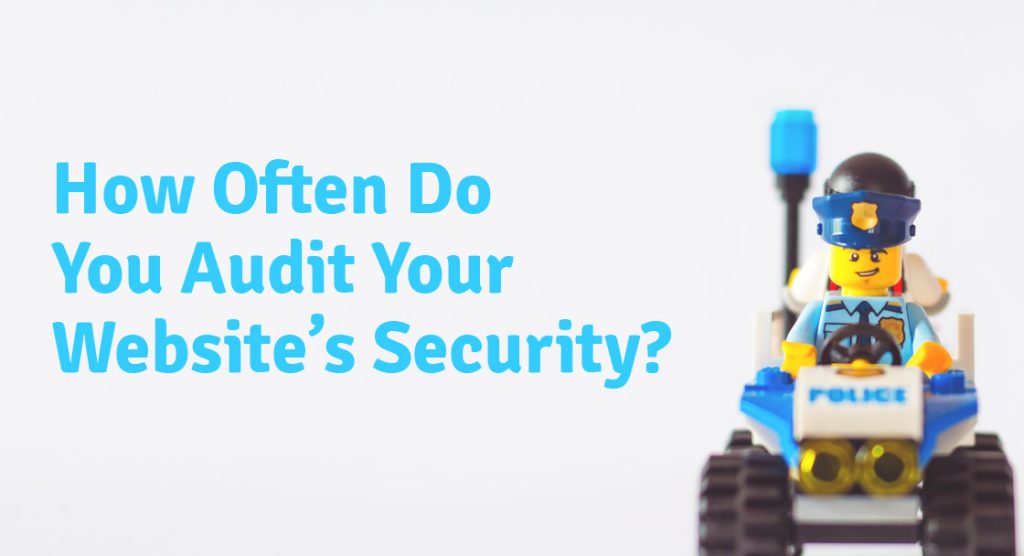
A website breach can happen to any business, regardless of size or industry. Hackers rarely target specific organizations out of personal interest. They look for vulnerabilities, and if your site has one, it becomes a candidate. Performing website security audits on a regular basis is one of the most effective ways to stay ahead of those threats. At FirstPage Marketing, website security is part of how we think about web design and development, because a site that is not secure is not truly functional regardless of how well it performs on any other measure.
Why Website Security Needs Ongoing Attention
Security is not a one-time configuration. Threats evolve, software changes, and new vulnerabilities are discovered constantly. A measure that was sufficient last year may not hold up today, which is why auditing your site periodically is more valuable than any single hardening effort.
WordPress powers a significant portion of the web, which makes it one of the most targeted content management systems. That scale creates ongoing pressure on the platform’s security ecosystem, and running a WordPress site without a continuously updated security plan is a meaningful and avoidable risk.
How Websites Become Vulnerable
Understanding how vulnerabilities arise makes the audit process more purposeful. Rather than simply checking boxes, you start to see why each step matters.
Web Interactions as Entry Points
Every interaction a visitor has with your site creates a potential entry point. Loading a page with dynamic content, submitting a form, searching the site, or logging into an account all involve data passing between the visitor and the server. Well-written code restricts this exchange to expected inputs and filters out anything unexpected or potentially harmful.
The problem is that most websites are built and maintained by multiple developers over time, drawing on code from varied sources. That accumulation makes it difficult to guarantee that every interaction is handling data correctly. Vulnerabilities in this layer are not always visible, but they are exactly what hackers look for when scanning a target.
The Server Layer
The web server is the infrastructure your site runs on, and it carries its own security considerations. Servers with less open ports offer fewer points of entry, but the applications needed to run modern websites require multiple services running simultaneously. Each one adds surface area that needs monitoring.
The complexity of modern server environments is precisely why keeping security patches and application updates current matters so much. Each patch typically addresses a known vulnerability, and delaying updates leaves that exposure open.
Learn everything you need to know about online payment gateways.
Two Approaches to Website Security Defence
Protecting a website and server generally falls into two broad strategies, and a robust security posture combines elements of both.
Active Monitoring
The first strategy is continuous vigilance: applying all security patches and updates promptly, reviewing existing applications regularly for correct security configuration, and maintaining a tight firewall alongside antivirus protection and intrusion prevention and detection systems (IPS/IDS). It also means ensuring that programmers working on the site understand security principles and that their work is reviewed accordingly.
Vulnerability Scanning
The second strategy focuses on finding and repairing actual vulnerabilities rather than building defences around them. Network and website scanning tools test existing code and server configurations against known exploits, addressing root causes rather than relying solely on perimeter protection. For many businesses, this investment delivers more security value than adding further layers of reactive defence.
Core Website Security Audit Steps
Regardless of platform, the following steps form the foundation of any meaningful security audit.
1. Keep Software, Plugins, and Applications Updated
Outdated software is one of the primary vectors hackers use to access websites. Each time a vulnerability is publicly disclosed, sites running the affected version become immediate targets. Applying updates promptly, whether for the CMS core, plugins, themes, or server-side applications, closes those windows quickly.
For WordPress sites, testing major updates on a staging version before pushing them live is worth the extra step. It surfaces conflicts between plugins or themes before they affect real visitors.
2. Use Strong, Unique Passwords
Weak passwords remain a common and preventable point of compromise. Credentials for admin accounts, hosting dashboards, FTP access, and other accounts with elevated permissions should all be strong, unique, and generated by a password tool rather than chosen manually. Personal passwords, even seemingly complex ones, follow predictable patterns that credential-cracking tools are specifically designed to exploit.
For WordPress sites, the platform includes a built-in password generator. Use it, and after creating new credentials, delete the default admin account that WordPress creates automatically during installation.
3. Install and Maintain an SSL Certificate
An SSL certificate encrypts the data passing between your website and a visitor’s browser, protecting information from interception in transit. Sites without one are flagged as “not secure” by major browsers, which damages visitor confidence before they have read a single word. Search engines also favour HTTPS sites in rankings, making SSL a factor that affects both security and organic visibility.
4. Secure File Transfers with SSH
When managing files on a server directly, Secure Shell Protocol (SSH) offers a meaningful improvement over standard FTP. It encrypts the connection and adds layers of authentication, preventing data from being intercepted during transfer. For any situation involving remote server access or manual file movement, SSH is the appropriate approach.
5. Maintain Regular Backups
A current backup is the safety net that makes everything else recoverable. If a site is compromised, a backup allows restoration to a clean version rather than losing the work entirely. Most hosting providers offer automated backup options. For any site of meaningful complexity, scheduled backups stored separately from the live server are worth confirming are in place and tested.
6. Run Regular Security Scans
Security scans check a site against known malware signatures, flag outdated software, and surface other potential vulnerabilities. Running scans regularly gives a consistent view of the site’s security posture between full audits. Many security plugins handle this automatically on a schedule, removing the friction of manual tracking.
WordPress-Specific Security Considerations
The steps above apply to any site. For WordPress specifically, the following additional measures address the platform’s particular exposure.
Start with Secure Hosting
The hosting environment is the foundation everything else runs on. A quality plan for a WordPress site should include server-side firewalls, anti-malware scanning, SSL certificate support, automated backups, and managed updates. Not all hosting plans are equivalent on these points, and it is worth confirming what is actually included before assuming coverage.
Delete the Default Admin Account
Every fresh WordPress installation creates a default admin account. That account is a known target. Create a new administrator account with a unique username and a strong generated password, then delete the original default account completely. This removes one of the most commonly exploited credential-based entry points.
Hide WordPress Identifiers
Hackers use visible identifiers to confirm which version of WordPress a site is running and then target known exploits for that version. A security plugin can suppress the WordPress version number, the list of registered usernames, and the active theme name. Reducing this visibility makes the site a less attractive target for automated scanning tools.
Install a Security Plugin
An all-in-one security plugin handles multiple protections from a single installation. Features to look for include a firewall, malware monitoring, two-factor authentication enforcement, stricter password requirements, DDoS protection, and IP or geography-based blacklisting. File change monitoring is particularly useful: it alerts you when core files are modified unexpectedly, which can indicate a compromise.
Use Only Trusted Themes and Plugins
Themes and plugins from unofficial sources often contain malicious code. Only install from the official WordPress repository or directly from reputable developers. Keeping the number of active plugins to a minimum also reduces overall attack surface, since each plugin is a potential entry point if it becomes outdated or unmaintained.
When a theme or plugin is no longer needed, delete it entirely rather than simply deactivating it. This removes the security risk along with the unnecessary storage overhead.
Restrict User Access
Each user account is a potential entry point. Limit roles so that each account only has access to the functions it genuinely needs. When a team member leaves the organization, delete their account or change the associated credentials immediately. Dormant accounts with active credentials are a straightforward vulnerability that is easy to prevent.
A well-maintained security posture requires consistent attention rather than occasional effort. If you would like help auditing your website’s security, implementing the measures above, or setting up ongoing monitoring, our team would be happy to work through it with you. Give us a call at 604-866-2230 and we can assess where your site currently stands and what steps will make the most difference.